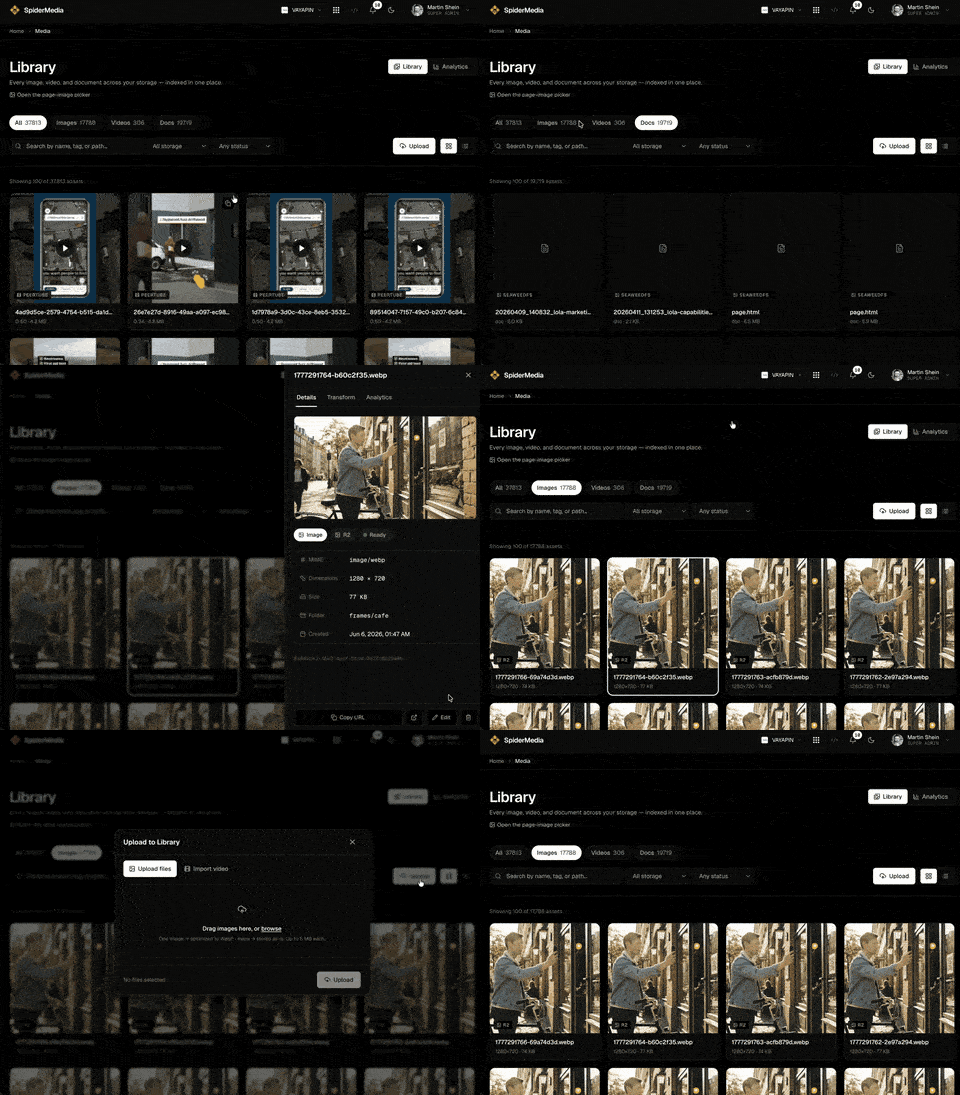
Email images that just work: host, resize, and optimize your campaign media in SpiderMedia

Email media is deceptively fiddly: where do you host the images so they don't break in the inbox, how do you get retina-crisp art that still loads fast, and what do you do about video — which most email clients won't even play?
SpiderMedia gives your campaigns one reliable home for every asset, with the resizing, formatting, and hosting email actually needs — and analytics on the video your emails drive traffic to.
One home for your campaign media
Every image, GIF, and video you use in a send lives in one managed Library — searchable, reusable across campaigns, and served from a fast CDN built for delivery. No more hot-linking from a random bucket and hoping it stays up.
The right size and format for every email
Request the exact rendition you need by URL — a 600px-wide body image, a 2x retina version, a WebP with a clean JPEG fallback for the clients that need it. Upload the original once; SpiderMedia generates and caches each variant, so your emails stay sharp and light.
Hosting that doesn't break in the inbox
Images served from a dedicated media CDN, with long-lived caching — the difference between a campaign that renders everywhere and one full of broken-image icons.
Video in email, done the right way
Drop in an animated preview or a poster that links to your hosted, streaming video on your own domain — and because we run the player, you get views and watch-time on exactly the video your email sent traffic to. Now you can prove which send actually drove the watch.
Your email agents pull assets automatically
SpiderMedia is AI-native: the Library is a tool your campaign agents call over MCP and the API, so an agent assembling a send can fetch the right image, size it for email, and grab the video thumbnail — without you wiring anything up.
Make your media the easy part
Host it, size it, optimize it, and measure it — all in one place, right next to the campaigns you're already sending. Open the Media tab to take a look.